Posts

New Xiaomi Civi 2 Officially Released

Image
"Every time I turn around, I want to roll up a slight ripple in your heart; another breakthrough is just to record the best looking you in life." On September 21, Xiaomi Civi 2 officially announced that more yuan trend design and innovative image technology are dedicated to everyone who loves themselves and lives more. It is easy to see from the official script that the design of Xiaomi Civi 2 will be more diversified, and the image will also have new attractions! Xiaomi Civi 2 will be released at 2:00 p.m. on September 27. In addition to the release time, the official also released a poster announcing part of the design of the new machine and the first color scheme. From the poster, Xiaomi Civi 2 has at least a white color to choose from. Instead of following Xiaomi Civi's plush and sleek design, it uses a sparkling texture design, supplemented by white color, which looks pure white and very fashionable. This is also an uncommon design among mobile phone manufacturers. I...
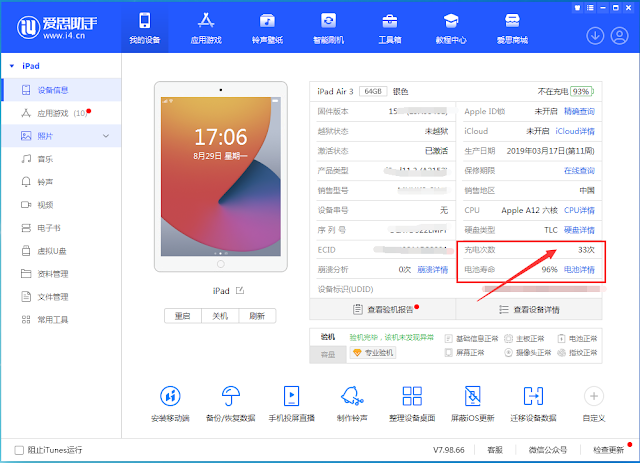
Check the battery charging times of iPhone

Image
The number of iPhone battery cycles is also the number of battery charges. The number of iPhone battery cycles is very important. It determines the life of the iPhone battery and is a reliable indicator to measure the degree of use of the phone. In addition, checking the battery charging times when buying and selling second-hand mobile phones can also roughly know the new and old degree of mobile phones. Many people want to know the health of their iPhone batteries. How can they check their iPhone battery cycles? The following is a tutorial on how to view the iPhone battery charging times through the Aisi Assistant: 1. Download and install the Aisi Assistant PC terminal on the computer and open it; 2. Connect the iPhone to the computer through the data cable, and then the Aisi Assistant will automatically recognize your iPhone and read the information of your device. The information will show your battery's "charging times" and "battery efficiency". The "nu...

Seven Reasons To Buy Used IPhone

Image
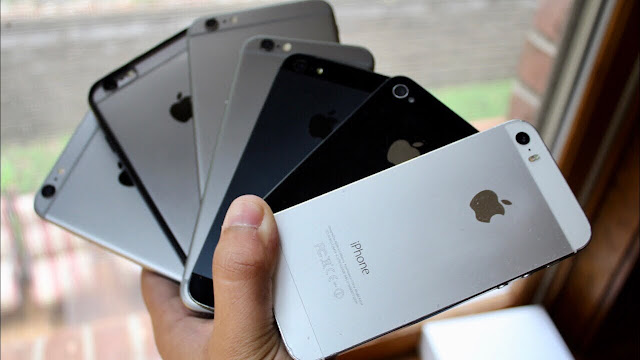
Too many people opt for a new phone and pay extortionate prices for them when there’s just as reliable and much cheaper options available. In this guide, we’re going to lay out a number of reasons as to why you should choose a used phone for a brand new phone. 1. Software Stability and Consistency Okay, so reason number one is that the software is the same version on all of them. Not only that, but people are going to buy used iPhone because they get longevity even if they buy an older version of the phone, so yes, the iPhone 12 is the latest and greatest from Apple, but if you bought an iPhone eight today, you’re still on the latest software. You’re going to be on it for quite some time, same with the iPhone 10 are if this is just a little bit too high, the iPhone 11 get an iPhone 10 are you’re on the latest software once again. So hence, the longevity factor that we know is the key to iOS is an extremely good reason it’s a smart idea. 2. Consistency with design The next smart reason ...

Apple Notebooks Allows Repair Yourself

Image
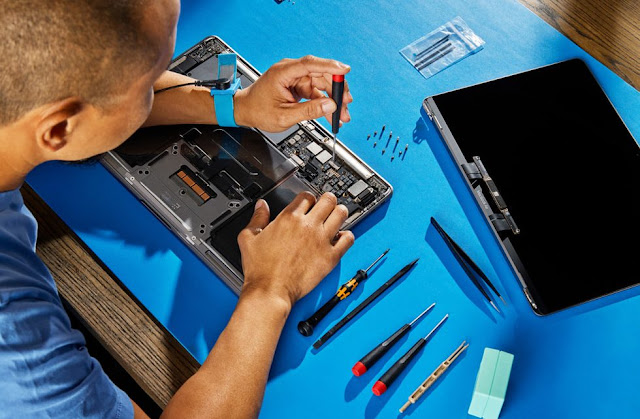
Apple announced Self Service Repair is now available for MacBook Air and MacBook Pro notebooks with the M1 family of chips, providing repair manuals and genuine Apple parts and tools through the Apple Self Service Repair Store. Self Service Repair for iPhone launched earlier this year and the program will expand to additional countries — beginning in Europe as well as additional Mac models later this year. Self Service Repair for MacBook Air and MacBook Pro offers more than a dozen different repair types for each model, including the display, top case with battery, and trackpad, with more to come. Customers who are experienced with the complexities of repairing electronic devices will be able to complete repairs on these Mac notebooks, with access to many of the same parts and tools available to Apple Store locations and Apple Authorized Service Providers. To start the Self Service Repair process, a customer will first review the repair manual for the product they want to repair by vis...

Best Ways to Protect Your Device

Image
While our smartphones, tablets and computers have become more advanced over the past decade, their ultra-thin shells and delicate internal components have also become more fragile. Long gone are the days of using cell phones like the Nokia 3310 lovingly dubbed a “brick phone” because of its rumored indestructibility—now that cutting-edge devices made of glass and aluminum from the likes of Apple, Samsung and other leading brands have taken over the market. Here are Best Quick Mobile Repair’s top tips to help keep your smartphone, laptop, tablet or other mobile device from breaking: Invest in a sturdy case Protective cases, particularly for smartphones and tablets, come in all shapes, sizes and colors—but not all of them are created equal. These days, many cases tend to be more decorative than sturdy, which is why we recommend purchasing a tough case from a trusted brand such as Incipio, ItSkins, or Nimbus. If you’re unsure of what case would best suit your needs, give Quick Mobile Repa...

Choose New Battery In Your Smartphone

Image
Mobile batteries usually work well for years. However, there is time, when you need to replace it. The problem is, how do you know when you need help with a cellphone repair place? Whether your battery is a problem, or is it your cellphone. Let's see how you can distinguish it. Battery dying or something else? Sometimes your cellphone dies. It doesn't feel in place when it happened, right? That's because your battery tells you that something is wrong. When you start checking it, look for a few things. Is it dead when you boot? Does the cellphone feel hot? When you load the application, is that when you die? If your cellphone dies soon after you boots, the problem is your update or storage space. You can enter your settings and check the available storage. Be careful not to confuse cloud storage with telephone storage. Make sure you see telephone storage. Update your application. If your cellphone is hot when touched, most likely the operating system update. When your cellph...

New iPhone Common Problems and Solutions

Image
We like our iPhone wholeheartedly - many Gemwon even #Teamiphone - but we can even admit that they are not immune to damage or dysfunction. Electronics decreases over time and accidents occur. Fortunately, this iPhone problem has an easy solution. Try using our technician tips to solve these three general iPhone problems ! The most common iPhone problem and their solution Damaged devices can be very frustrated, but we recommend trying one of these improvements before giving up on your iPhone. Note: Before trying this solution, you must reserve your iPhone to iCloud to avoid losing anything! Turn off your Apple device and turn on again We know this is cliché, but sometimes all your iPhone needs are reboot. Press and hold the volume down and the power button at the same time. Then, after your device returns, check to see if your problem has been resolved. If the problem remains, try one of the following solutions! Update your operating system and application Out of time software can be...